How to Become a Content Creator: A Beginner’s Guide
Learn how to become a content creator by choosing a focus, building practical skills, publishing work, creating samples, and exploring creative jobs.

This guide covers the steps from early practice to publishing, reviewing feedback, and building a portfolio. It also explains how creating for your own audience differs from producing content for clients, so you can prepare for the opportunities that interest you.
What Does a Content Creator Actually Do?
Content creation extends far beyond posting videos on TikTok or other social media platforms. As Adobe explains, content creators produce educational, entertaining, or informative material across formats such as videos, photography, writing, graphics, articles, and email. This means content creators can have very different skills, responsibilities, and career paths, depending on the type of content they produce and the audiences they serve.
| Job | Typical Outputs | Skills Needed |
|---|---|---|
| Video Creators | • TikToks • Reels • YouTube videos • UGC ads • Tutorials • Product demonstrations • Interviews | • Scripting • Filming • Presenting • Lighting • Editing |
| Photographers | • Product photography • Lifestyle images • Event content • Social media assets • Campaign photography | • Framing • Lighting • Styling • Visual Composition |
| Designers | • Social graphics • Carousels • Infographics • Thumbnails • Brand assets • Motion graphics | • Composition • Layout • Creativity • Typography • Color Theory • Visual Identity |
Content creator roles often combine multiple disciplines, including social media production, video editing, content management, and platform-specific skills. However, beginners do not need to master every aspect of content creation. Focus on developing the skills most relevant to your preferred content format and career goals, then expand your abilities as your experience grows.
There Are Two Common Creator Career Paths
Two common routes are building an audience around your own content and producing content for a client or employer. They can overlap, but each places different demands on your work.
| Career Path | Main Job | Business Context | Main Objective |
|---|---|---|---|
| Audience-Led Creator | Builds an audience around their own identity, expertise, entertainment, or subject area. | • Sponsorships • Advertising revenue • Products • Brand partnerships | Audience growth can become an important part of the business. |
| Client-Focused Creator | Produces content for someone else. | • A brand • A marketing team • A media company • A creator • A small business • An employer • Freelance clients | Create content according to the client’s requests as outlined in the provided brief. A UGC creator making ads for a skincare brand is an example. |
For client-focused work, relevant samples, technical ability, communication, and reliability help demonstrate your suitability. Audience size may also matter when the brief includes publishing to your own channels.
Step 1: Choose a Manageable Starting Focus
Beginners should avoid trying to create content about everything, as constantly switching topics and formats makes skill development more difficult. Instead, start with one target audience, one subject area, and one primary content format.
Treat these choices as a starting point rather than permanent commitments, allowing you to experiment, build consistency, and adjust your direction as your skills and interests develop.
Example
| Audience | University students |
| Subject | Productivity |
| Format | 30 to 60-second vertical videos |
That gives you something concrete to practise, but another beginner might choose:
| Audience | Local food enthusiasts | Or | Small business owners |
| Subject | Affordable restaurants | Social media tips | |
| Format | Photography and Instagram carousels | Written LinkedIn posts |
Your starting niche does not need to become your permanent identity since the purpose is to reduce the number of variables you are learning at once.
Step 2: Learn the Skills Your Format Actually Requires
Use your first projects to practise the skills below. Start with those that affect your chosen format most directly.
| Skill | A practical beginner exercise |
|---|---|
| Audience research | Collect five questions your intended audience asks and choose one to answer. |
| Idea development | Turn that question into a tutorial, comparison, or demonstration. |
| Structure | Outline the opening, main information, and ending before producing the piece. |
| Production | Make the subject easy to see or hear through suitable framing, lighting, and audio. |
| Editing | Remove anything that distracts from the main point. |
| Reviewing feedback | Identify one unclear moment using audience responses or a reviewer’s feedback. |
| Communication and reliability | Work from a brief, set a deadline, organize files, and deliver the agreed format. |
For example, a beginner video editor could practise turning supplied footage into a clear 30-second tutorial. A photographer could create a consistent three-image product series.
Step 3: Start With the Equipment You Already Have
Beginners do not need professional equipment or a dedicated studio to start creating content.
YouTube's beginner guidance for Shorts highlights that a smartphone is often sufficient for production, while accessories such as tripods and ring lights are optional upgrades. Focus on using the equipment necessary to practise your chosen format and develop your skills, then invest in additional tools as your needs and experience grow.
| For Short-Form Video A practical beginner setup might be: • Existing smartphone • Window light or another suitable light source • Quiet filming environment • Basic tripod if needed • Accessible editing software If you speak on camera, audio matters. If the video is a silent product demonstration, lighting and framing may matter more. |
| For Photography Prioritize: • Available camera or phone • Light • Composition • Background • Basic image editing |
| For Design Start with: • A design tool you can access • Basic typography • Layout • Visual hierarchy • Repeated practice |
Do not buy equipment because creators on YouTube say you need it. Upgrade when your current setup becomes the constraint.
Step 4: Build a Simple Content Plan
Consistent content creation becomes easier when you plan topics ahead instead of deciding what to publish at the last minute. Start by organizing ideas into a few repeatable content categories that align with your niche.
For example, a beginner skincare creator could focus on product demonstrations, routine education, ingredient explanations, and product comparisons. These categories provide a clear structure for developing new ideas while keeping content relevant to the intended audience.
A simple content calendar can help turn these ideas into a manageable publishing routine. Adobe recommends organizing content around recurring categories, while Buffer highlights how calendars help creators track planned posts, formats, publishing dates, and scheduling gaps. Beginners can start with a basic spreadsheet to organize their content and maintain consistency without investing in complex planning tools.
An Illustrative Beginner Plan
Suppose you want to practise short-form tech content, your weekly plan could be:
| Day | Content |
|---|---|
| Tuesday | 30-second app tutorial |
| Thursday | One feature demonstration |
| Saturday | Comparison or workflow video |
Three posts are not a universal recommendation because maybe one piece a week is more realistic for you, and that is better than planning seven but only producing two. The schedule should create enough repetition to practise without making the process impossible to sustain.
Create an Idea Bank
Maintain a centralized idea bank to capture and organize content ideas before you need to publish them. For each idea, record the topic, relevant audience question, content format, potential opening, required visuals or supporting evidence, and production status.
The system can be as simple as a phone notes app or spreadsheet. What matters is having an accessible place to collect unfinished ideas, track their progress, and turn them into content when you're ready to create. When adapting a trend, identify the audience need and the structure that makes it work. Use those observations to develop your own example.
Step 5: Publish Before Everything Feels Perfect
Content creation skills develop through publishing, gathering feedback, and learning from audience responses. Rather than waiting until every piece is perfect, beginners should publish their work and observe how viewers engage with it. YouTube recommends using analytics after publishing Shorts to identify what resonates with audiences and inform future content decisions. This approach applies across platforms, helping creators improve their skills through consistent practice and real-world feedback.
Look at Metrics That Match the Content
Useful signals for each goal:
| Goal | Signals |
|---|---|
| Audience Growth | • Reach • Follows • Returning viewers |
| Educational | • Retention • Saves • Relevant comments • Completion |
| Drive an Action | • Clicks • Sign-ups • Purchases where attribution exists |
Sprout Social’s reporting guidance recommends choosing metrics based on the actual goal rather than treating every metric as equally important. Follower count is therefore one progress indicator, but not the only one.
Improve One Meaningful Element at a Time
Choose one change to investigate, such as showing the result before the tutorial begins. Keep the topic and format reasonably consistent so the comparison is useful.
Organic posts can reach different audiences under different conditions, so one comparison cannot establish what caused a performance change. Look for recurring patterns across several pieces and use them to guide your next revision.
Help the Right Audience Find Your Work
Choose a primary platform where your intended audience already looks for your type of content. Make the topic clear in the opening, title, or caption, and turn useful audience questions into follow-up pieces.
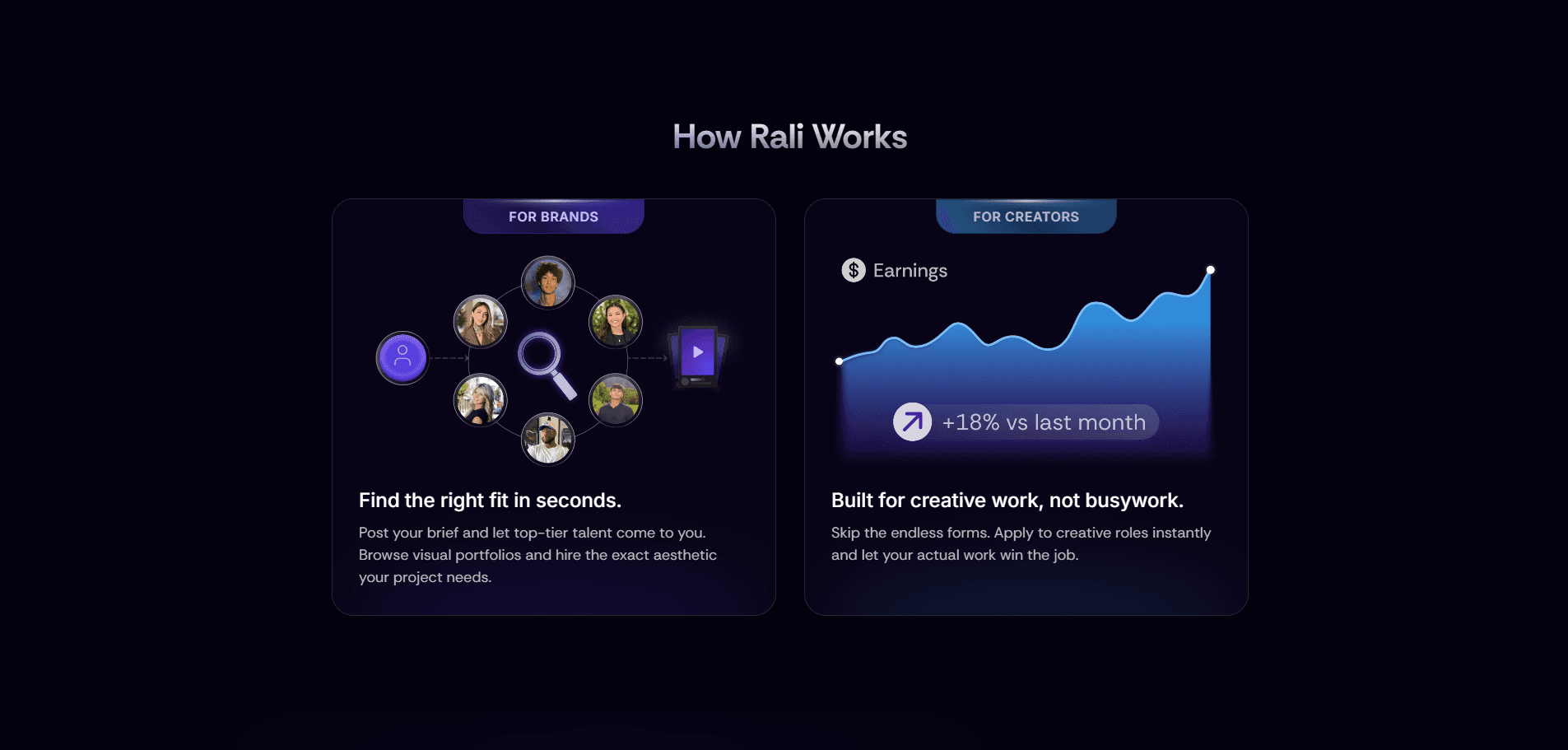
If you are learning how to become a successful content creator, define progress around your chosen path. Audience-led creators can track relevant reach and returning viewers. Client-focused creators can assess sample quality, suitability for briefs, and the feedback their applications receive. One way to put that work in front of potential employers is through a platform like Rali. Designed for content and UGC creators, Rali brings portfolio profiles and creative opportunities together so brands and creators can connect.
Step 6: Build Evidence of What You Can Do
Build your portfolio from completed projects that demonstrate the work you want to do. These can include published content and clearly labeled personal projects. You do not need an established public account to begin assembling relevant samples.
Choose work that matches your intended role: UGC-style demonstrations for UGC production, edited sequences for editing roles, or social graphics for design work.
Explain Your Contribution
A portfolio should make your role clear, for example:
| Concept, script, filming, and editing by me | or | Client supplied footage. I handled the edit, captions, pacing, and sound design. |
That context helps someone evaluate the right skill.
Self-Initiated Work Still Counts as Practice
Beginners can build a strong content creation portfolio even without previous client experience by developing self-initiated projects. Examples include creating a UGC-style video using a product you own, redesigning a social media post, producing a short-form video edit, developing a photography series, or planning a mock campaign. Clearly label these samples as personal or speculative projects rather than presenting them as paid client work. This demonstrates your creative abilities while maintaining professional credibility.
For a detailed walkthrough of sample selection and speculative projects, read Masterhooks’ guide to building a UGC portfolio from scratch.
Step 7: Explore Different Content Creator Jobs
Once you have some evidence of ability, there are several directions you can explore.
Employed Content Creator
You work inside a company or organization with responsibilities that might combine:
| Social content | Writing | Community work |
| Video + Editing | Photography | Content planning |
The exact role depends on the employer.
Contract Creator
A company hires you for a defined period or project, for example:
Produce short-form video for a three-month campaign.
Check whether the opportunity is a fixed-term employed role or an independent project engagement, as “contract” can describe different working arrangements.
Freelance Content Creator
You work with multiple clients independently, where you may charge:
| Per project | Per asset | Per day/hour | Through a retainer |
Before accepting a freelance project, agree on the deliverables, deadline, revision allowance, usage rights, and payment terms. Include these details when estimating the work and quoting a fee.
How to Apply for a Content Creator Job
Tailor your content creation portfolio to each job opportunity rather than sending the same collection of work to every employer. Review the job requirements and prioritize samples that demonstrate the specific skills being requested, whether that means short-form video editing, beauty UGC, or photography.
A focused, relevant portfolio makes it easier for recruiters and potential clients to evaluate your abilities without searching through unrelated projects.
Keep the Application Simple
A concise application can include:
| Who you are | One sentence. |
| Why the role fits | Connect your skills to the requirements. |
| Relevant samples | Link directly to the most useful work. |
| Availability | Include it if requested. |
A strong application reduces the amount of interpretation the employer has to do.
Where Rali Fits Once You Have Work to Show
Rali is the discovery platform built for content and creators. It is designed around portfolio profiles and creative job discovery, connecting the work creators can show with the opportunities they want to explore.
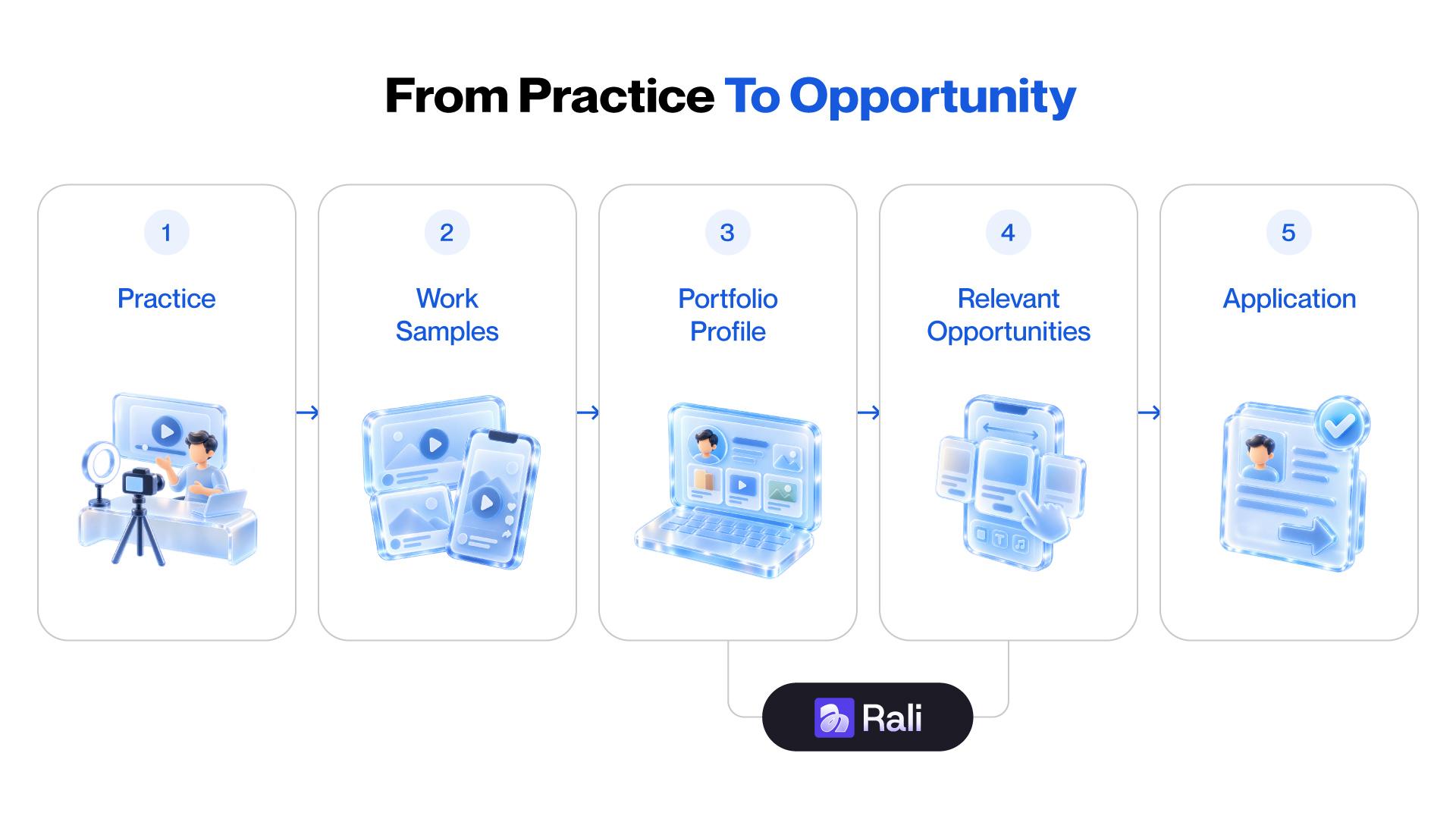
Prepare samples relevant to your intended role and describe your contribution to each project. This gives potential employers useful context when reviewing your work.
A Proposed First 30 Days
This is an illustrative starting plan that you can adjust, but not a required publishing schedule:
| Week | Learning Focus | Work to Produce | Review Question |
|---|---|---|---|
| Week 1 | Audience, format, basic production | 2 practice pieces | Can someone understand what this content is for? |
| Week 2 | Hooks and structure | 2 to 3 pieces using the same core format | Which opening communicates the idea fastest? |
| Week 3 | Editing and audience feedback | 2 refined pieces | Where do viewers respond, save, or drop off? |
| Week 4 | Portfolio relevance | 2 stronger samples plus selection of previous work | Which pieces best demonstrate the work I want to be hired for? |
At the end of 30 days, you do not need to have “made it,” but you should have something more useful that is called evidence. Evidence of what you enjoy creating, where you struggle, what audiences respond to, and skills you can continue developing.
Content Creator Beginner FAQ
| How do I become a content creator with no experience? Start your content creation journey by choosing one target audience, subject, and format, then develop your skills through consistent practice. Create self-initiated projects, publish your work, analyze audience feedback, and apply what you learn to future content. As your skills improve, build a portfolio featuring your strongest and most relevant projects to demonstrate your abilities to potential clients or employers. You can begin developing professional skills and valuable work samples long before landing your first client. |
| Do I need followers to become a content creator? Follower count requirements depend on the type of content creator role. Brands seeking access to a creator's existing audience may prioritize reach and audience quality, while roles focused on UGC production, video editing, photography, or writing may place greater emphasis on technical skills and portfolio quality. Always review the job brief to understand the specific requirements, rather than assuming that every content creator opportunity requires a large following or has no follower requirements at all. |
| How do I become a freelance content creator? To learn how to become a freelance content creator, start with one service you can deliver and relevant samples that demonstrate it. Apply to suitable projects, tailor your samples to the brief, and agree on scope and payment terms before starting. |
| Do I need expensive equipment to become a content creator? Beginners do not need expensive equipment to start creating content, as the tools required depend on their chosen format. For short-form videos, a smartphone is often sufficient for practising and producing content, as YouTube's beginner Shorts guidance suggests. Invest in better equipment only when your current setup limits the quality of your work or prevents you from meeting project requirements. |
Build the Proof Before Chasing the Title
Becoming a content creator starts with consistently producing work that demonstrates your skills and creativity. Start with a manageable project, finish it, and use feedback to improve the next one. As your samples develop, select the work that best demonstrates the roles you want to pursue.
Platforms like Rali can help connect your creative work with professional opportunities. Creators can showcase relevant projects and discover creative jobs that align with their skills, interests, and career goals.
Ready to turn your growing body of work into a portfolio and start exploring creative opportunities?
Keep reading
More Articles For BrandsFor Brands
How to Find and Hire the Right Content Creators for Your Brand
Learn how to find UGC and content creators for your brand. Discover where to find talent, evaluate portfolios, compare rates, and hire the right creators.
8 min read For CreatorsFor Creators
10 Platforms to Find Creator Jobs and Freelance Opportunities
Compare 10 platforms for creator jobs, freelance projects, UGC work, and brand partnerships based on skills, work type, eligibility, and requirements.
15 min read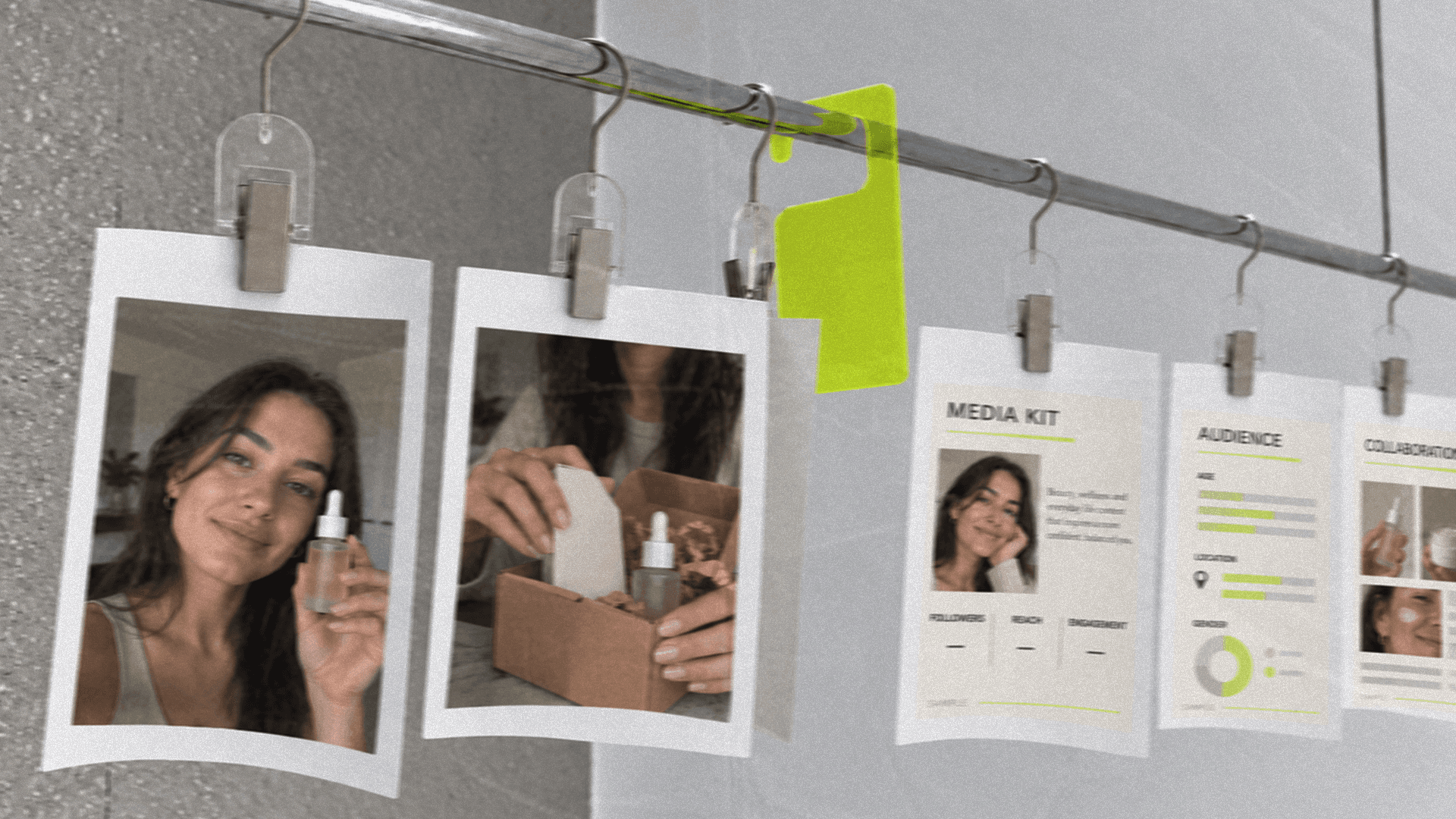 For BrandsFor Brands
UGC Portfolio vs. Media Kit: What Should You Send a Brand?
Learn when to send a UGC portfolio, media kit, or both based on whether a brand needs content production, audience distribution, or both.
7 min read